
How to Get Court Records
Public Access is the place to start, because it identifies the court and the full case number. From there, eAccess can display an eligible Superior Court civil or criminal image filed from July 1, 2010 forward. Missing image? Older file? Need an official copy? Then turn to the Apache Clerk or the lower court that owns the case.
- Identify the exact court, full case number, and document.
- Check free Public Access, then eAccess when eligible.
- Choose free courthouse self-search or staff service by form.
- Submit the form by fax, mail, or drop-off with the locating details.
- Select pickup, fax, or mail and include payment or a self-addressed stamped envelope as instructed.
- Allow the local estimate plus extra time for a stored file.
For Apache Superior records, call the Clerk at 928-337-7550. The counter sits at 70 W. 3rd South in St. Johns. Faxes go to 928-337-2771. Mail goes to PO Box 365, St. Johns, AZ 85936. Expect roughly three to five days, though volume and storage can stretch that.
Apache County Court Record Products
Three products get mixed up constantly. The docket is just a chronological index. A filed document is the actual pleading, motion, order, or judgment named by an event, and a certified copy is the reproduction the clerk authenticates. Remember that a free docket cannot replace a signed judgment, and an eAccess preview is no substitute for certification.
| Product | What it does | Best source |
|---|---|---|
| Docket or event index | Lists case activity in date order | Public Access, eAccess, or owning clerk |
| Filed document | Shows the paper's actual text | eAccess if eligible or owning clerk |
| Certified copy | Adds clerk authentication | Owning clerk or eligible electronic certification |
Name the artifact you want. Asking for the "signed judgment entered on" a date beats asking for "the whole record" every time, and precision here can cut paid research while preventing delivery of the wrong event.
Types of Court Records
The Apache Superior Court Clerk maintains felony, general civil, family, probate, guardianship, mental-health, tax, juvenile, and appellate files. Justice Court clerks are different. They keep limited civil, small-claims, eviction, misdemeanor, traffic, preliminary felony, and protection-order records, while Municipal clerks hold city ordinance, misdemeanor, and traffic files.
- Docket sheets and certified event indexes
- Complaints, petitions, answers, and motions
- Signed orders, judgments, and disposition papers
- Public charge, party, and hearing information
- Available exhibits and attachments
- Plain, certified, exemplified, or authenticated copies
Hearing and trial transcripts come from a court reporter, not the Clerk's ordinary records desk. Restricted exhibits and confidential portions of a file may need separate authority before anyone releases them.
Apache County Court Records Request Form
The official request form covers staff research, copies, and delivery in one place. Fill in the exact material. Add the case number if known. Then give your name, the relevant date or time period, contact information, and a pickup preference. Apache instructions may ask for sensitive identifiers to locate a file. Send that data only through the Clerk's official form and channel.
One caution about fax. It works as a record-request route but not a filing route, since Apache Superior Court does not accept case filings by fax. You can ask for a callback when pickup is ready. Mail service may involve an $8 charge. The published self-addressed stamped envelope route avoids it.
Request tip: Name the exact docket sheet, order, judgment, complaint, or event date and state whether the copy must be certified.
Apache County Court Records Turnaround
Plan on three to five days for the usual estimate. Volume, storage, and the breadth of staff research can all extend that window. A callback when a stored file is ready beats guessing, and mail transit adds its own time after the office finishes the request.
What a Court Record Contains
The public event list is only the front door. A case file sits behind it, and what that file holds depends on the case type and the access rules. Read the index first. Then request the paper tied to the event that answers your question.
| Case Number | The full court identifier, such as a criminal CR or civil CV sequence |
|---|---|
| Pleadings | Complaints, petitions, answers, motions, and responses |
| Orders & Judgments | Signed rulings and final or post-judgment decisions |
| Docket Sheet | The chronological register of filings, settings, and actions |
| Hearing Data | Date, courtroom, type, and entered result |
| Exhibits | Filed evidence or attachments, subject to access limits |
An event label is not the document itself, and a motion and the order deciding it are separate records. Check the later events too, because enforcement, consolidation, or appeal can keep moving after a judgment.
Apache County Stored Court Records
Apache Superior case information reaches back online to 1995. eAccess image coverage begins in 2010. Older cases still exist on paper, in book-and-page form, scanned, or in storage. Call ahead with the full number so Clerk staff can locate the file. Storage can add time beyond the usual response estimate.
At the courthouse, searching yourself is free. Staff research beyond essential information gets charged under the current fee schedule, a distinction that matters when you can identify the case and event without asking staff to comb years of records. If you see "Document Not Available Online," take it as a direction. It sends you back to the clerk. It does not mean the filing was removed or closed.
Certified Copies and Fees
A plain copy just reproduces the document. Certification adds the Clerk's authentication, and exemplification is its own separate service, not a synonym. Watch for conflicting figures. The current posted schedule controls over an older county help page that still displays $30 amounts, so confirm the final total before sending payment.
| Item | Published amount |
|---|---|
| Online or courthouse self-search | $0 |
| Plain copies | $0.50 per page |
| Certification | $35 per document |
| Clerk research | $35 |
| Exemplification | $70 per certification |
| Authentication | $105 per certification |
| Mail or fax results | $8 |
On eAccess, the pricing works differently. A document ready for download costs $10, and electronic certification adds $39 more. A single multi-page judgment might stack page charges onto one certification fee, though several papers certified separately can each carry their own certification fee.
Clerk of the Apache County Superior Court
70 W. 3rd South St.
St. Johns, AZ 85936
928-337-7550
Apache County Court Records Fee Conflict
One Apache County help page, now dated, shows a $30 charge. It applies to records work and certification. The current fee schedule says $35 instead. That newer schedule controls. Treat it as the right figure for any court records request.
Before you mail a payment to the Clerk, confirm the total. This matters most when you need several documents or more than one year of searching.
Apache County Electronic Court Record Copies
eAccess bills $10 for an available document, then $39 more for electronic certification. Its coverage and account rules are not the same as the Clerk's paper-copy route.
A watermarked preview is still an unofficial copy. So pick the channel that fits the job. Do you need to read, copy, or authenticate the paper?
Apache County Court Record Transcripts
A docket entry can tell you a hearing happened. But the words spoken in that courtroom live in the transcript. That record belongs to the court reporter. So note the hearing date and the reporter's name before you ask for anything. A transcript order is not a routine Clerk copy request. Treating it like one will only slow you down.
Apache County Court Records Access
Arizona Supreme Court Rule 123 sets the rules for public access to judicial records. A.R.S. §39-121.01 covers preservation, inspection, and copies of public records. Lawful restrictions and charges attach to that statute. Protected case classes answer to stricter laws of their own. A broad public-record request will not pry open a closed judicial record.
Key Rules:
Arizona Supreme Court Rule 123 governs access to court records and honors confidential or closed status.
A.R.S. §8-208 sets juvenile access rules and protects dependency, severance, and victim information.
A.R.S. §36-509.01 restricts involuntary mental-health treatment court records.
The official juvenile statute page is a direct source for Apache County record limits.
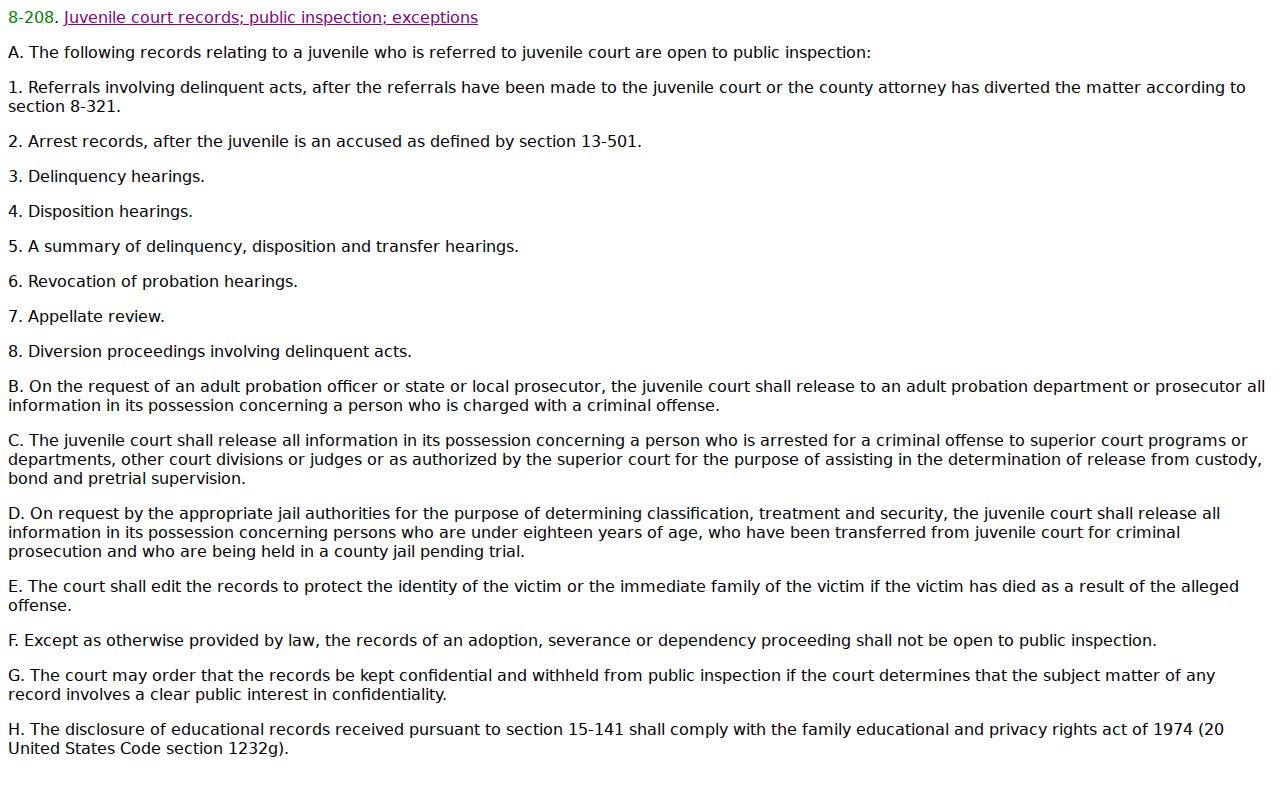
The statute itself keeps juvenile access narrow, so you cannot stretch ordinary adult docket rules to cover it.
Public Access and Sealed Records
Public Access leaves out sealed files and protection orders. Mental-health matters, probate, victim and witness data, most juvenile records, and local ordinance cases are excluded too. Apache County closes adoption, mental-health, and dependency files without judicial approval. Some juvenile information can be public under the statute. The portal may still exclude it, though. You would then need to contact the court directly.
Want a sealed file unsealed? Apache requires a written request to the judge. State your interest and name the exact documents. Sealing limits public access; it does not wipe every agency copy. A blank search can also point to other causes. It may mean an old case, a filing lag, a misspelled name, or the wrong court. Never read sealing into a missing result.
The mental-health confidentiality provision stands as another primary source for where Apache County access stops.
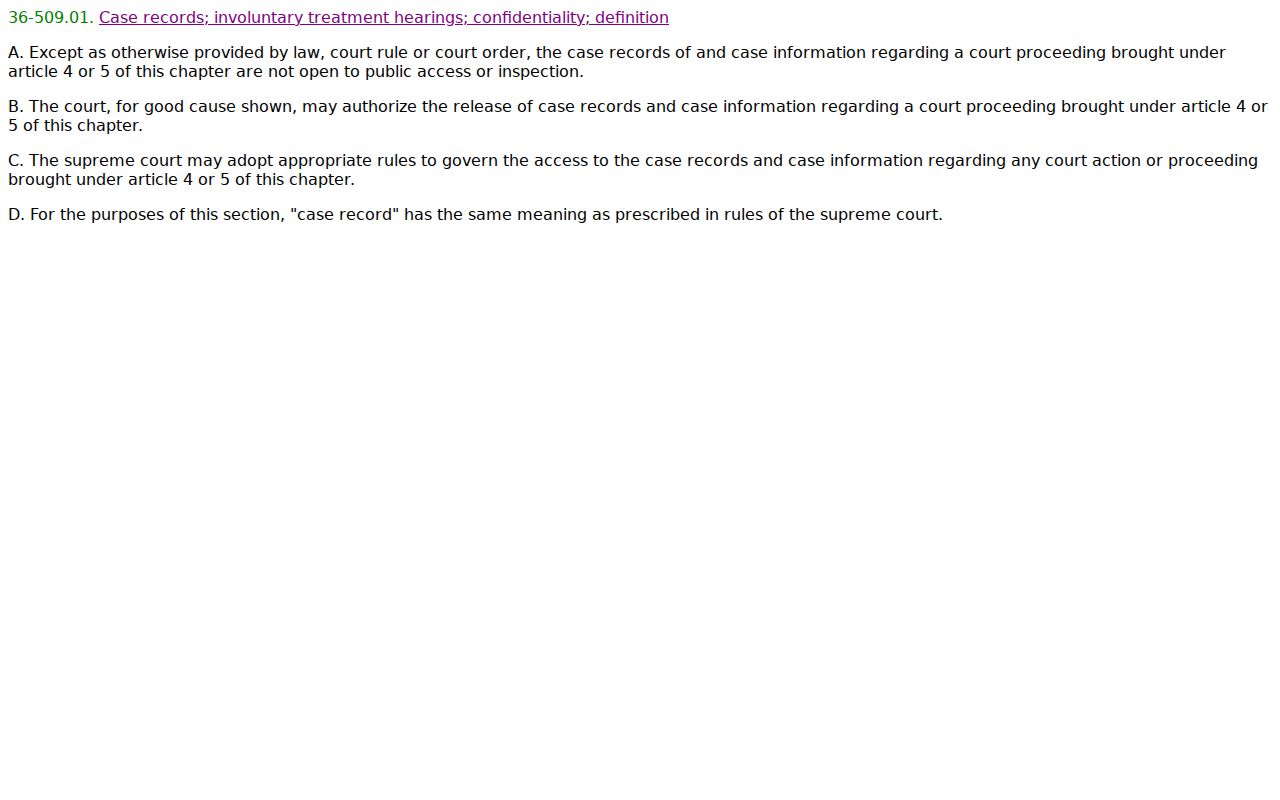
The closed category traces to governing Arizona law, not to a general clerk preference.
Apache County Records Beyond Superior Court
The Superior Court Clerk cannot certify a file that belongs to a Justice or Municipal Court. For those, contact the court that issued the record. That may be Northstar, Round Valley, St. Johns Justice or Municipal, Eagar Municipal, or Springerville Municipal. Northstar's Chinle and Puerco districts sit at separate locations. Eagar and Springerville share a counter, yet each keeps its own records.
Every lower court runs its own response channel and sets its current record-preparation charges. A Public Access result may help you find the right court. It does not hand custody to the Superior Clerk. In an appeal, the lower court prepares its typed docket sheet or certified document index under Apache local rules. The Superior appeal file that follows is related. It neither erases nor merges the originating lower-court record.
Certification follows ownership too. Any seal or clerk certificate must come from the office holding the original. One dispute can have numbers in both a lower court and the Superior Court. Say which file and which document your request concerns. That detail keeps a certified appellate paper from being mistaken for the original limited-jurisdiction record.
Federal records break from the Arizona state route entirely. Apache County sits in the Prescott Division of the U.S. District Court for Arizona. The federal clerk in Phoenix and PACER maintain those files. State Public Access and eAccess hold no federal docket. The District of Arizona clerk-location page shows the federal records channel for this district.
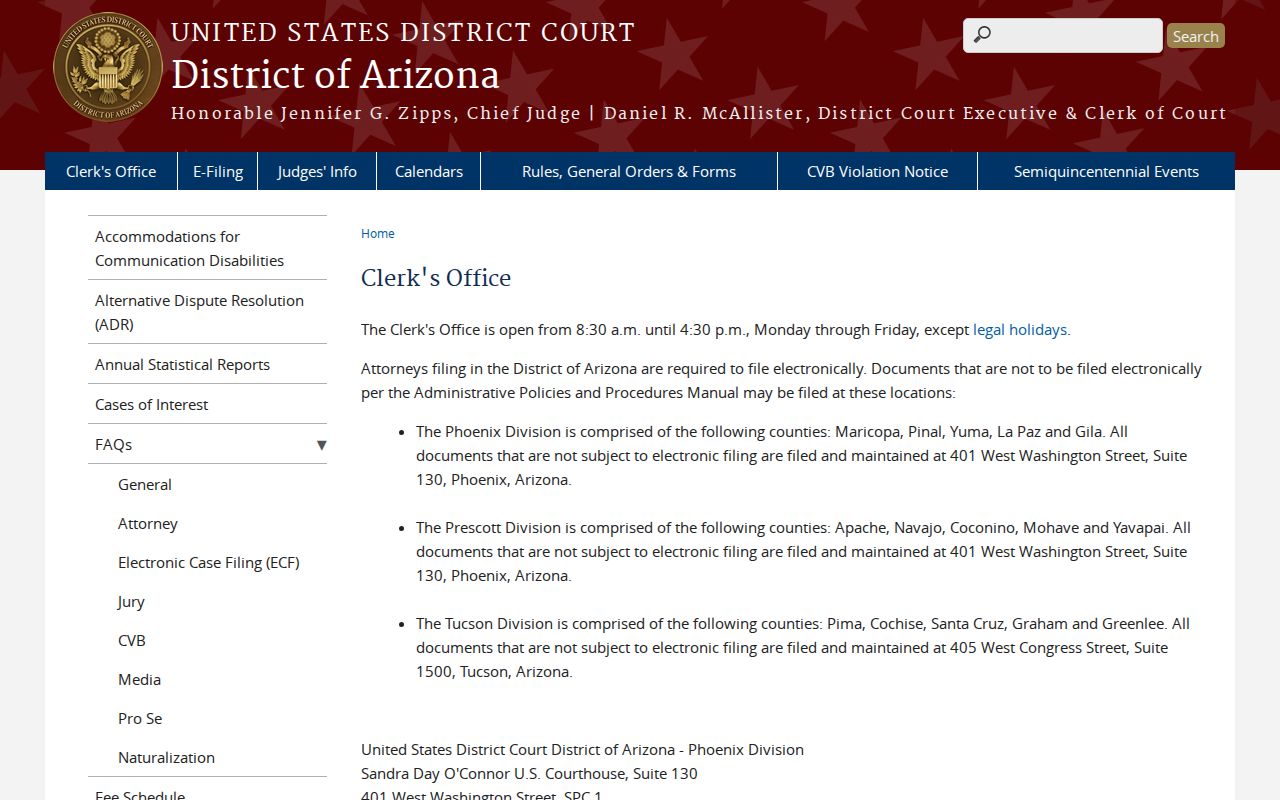
The federal clerk's page marks a records office wholly apart from the state system. Routing an Apache County state-record request there would send it to the wrong place.